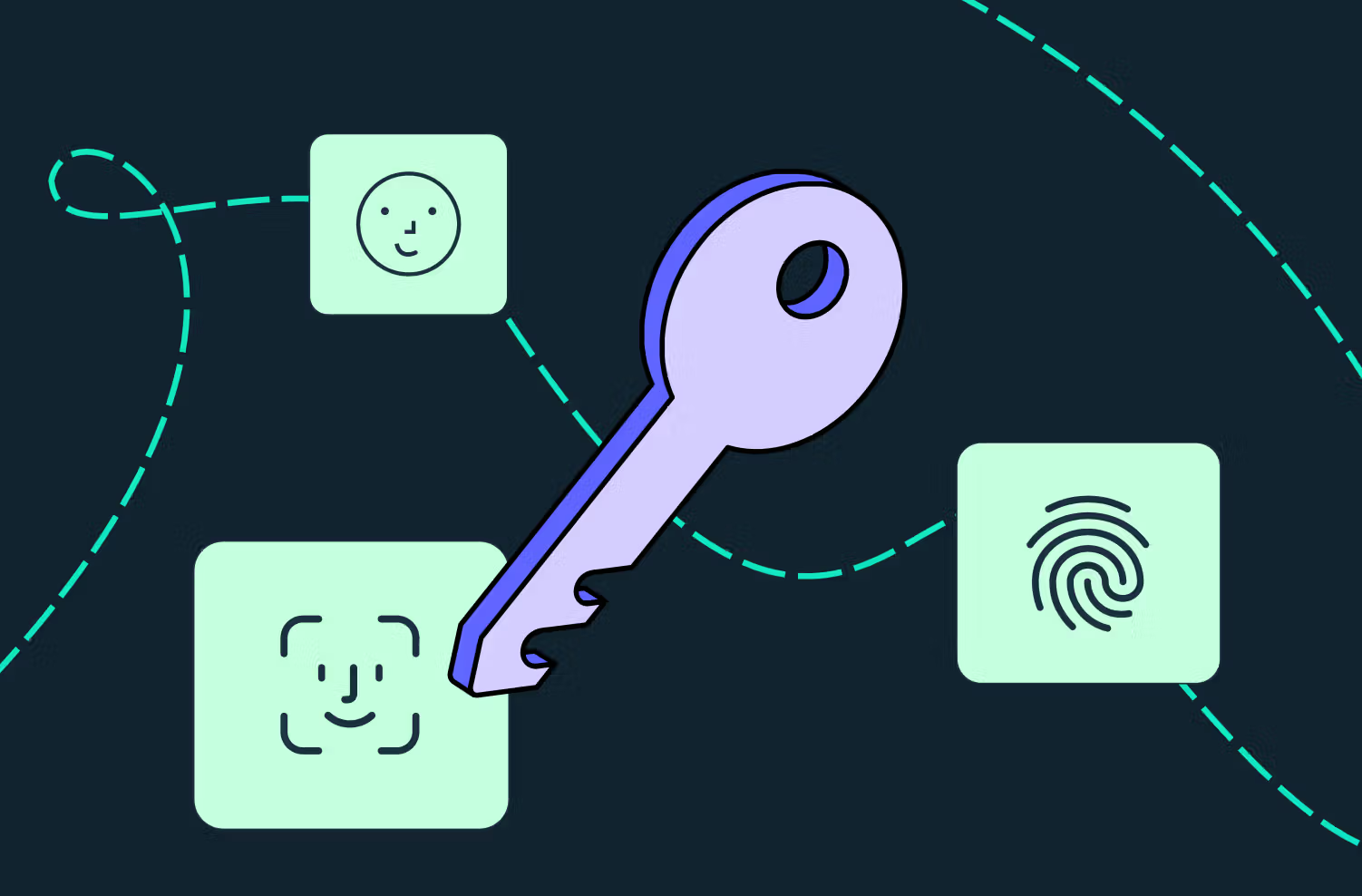
Passwords Are Outdated: The Passkeys and WebAuthn Revolution
Greetings! Let's be honest, aren't you tired of clicking the "Forgot Password" button when trying to access a website? Trying to remember those complex passwords, at least 12 characters long for every platform, including uppercase letters, lowercase letters, numbers, and even hieroglyphs (!)...
Luckily, that era is coming to an end. Today, we'll be talking about a revolutionary technology that completely changes the rules of digital authentication, both for developers and end-users: Passkeys and the power behind it, WebAuthn.
Why Passwords Are No Longer Enough
Classic password-based systems have become obsolete. Internet security hangs by a thread due to phishing attacks, data breaches, and users' insistence on using "123456" or "passwords."
Two-factor authentication (2FA/MFA) was a band-aid, and SMS codes were insecure. The internet needed a new, secure, and most importantly, frictionless login method.
What are Passkeys and WebAuthn?
Passkeys are a passwordless login method built on the WebAuthn (Web Authentication) standard developed by the FIDO Alliance and the W3C.
Simply put: You no longer send a "secret" (password) to the server for verification. Instead, your device (your phone, computer, or security key) speaks to the server on your behalf, saying, "I'm here, this device is secure, and I'm the one performing this action."
How Does it Work? (Non-Technical Summary)
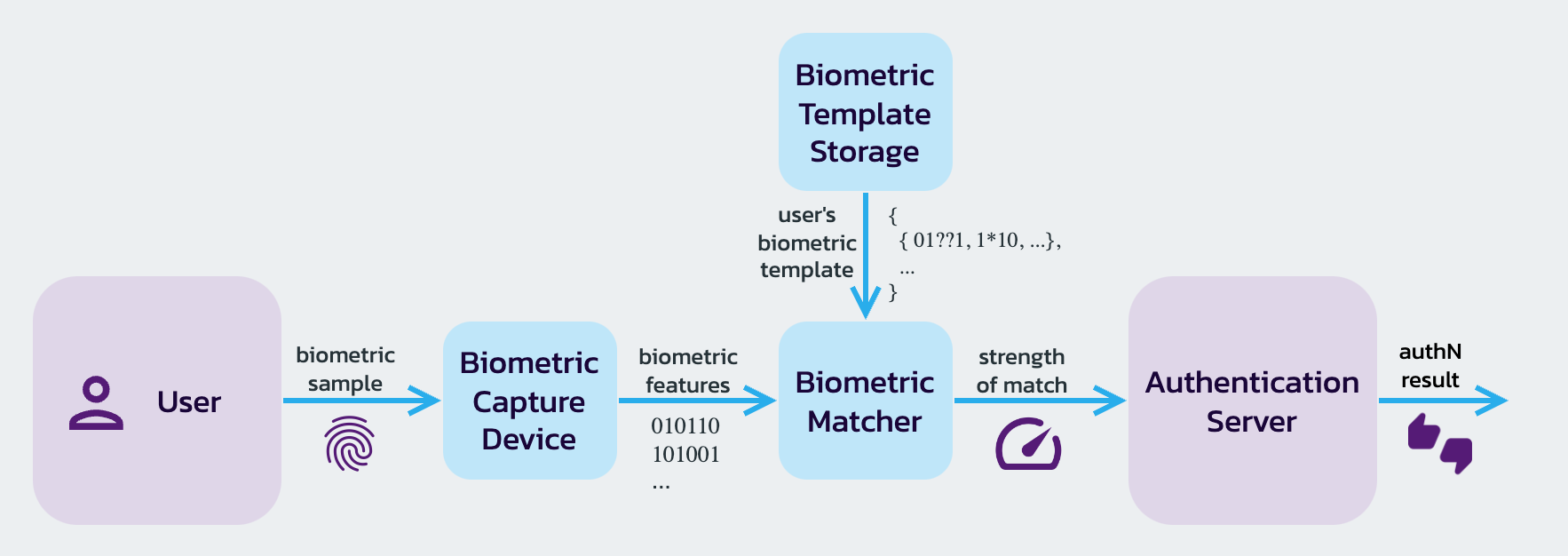
At the heart of it all is asymmetric cryptography (public/private key pairs). Don't worry, we won't delve into the math. The process works like this:
- Registration: When you register on a site with Passkey, your device generates a key pair.
- Private Key: This is stored in the most secure hardware of your device (Secure Enclave, TPM chip, etc.). This key never leaves the device.
- Public Key: This is sent to the server and stored in the database.
When you log in, the server sends a mathematical puzzle (challenge) to your device. You unlock the Private Key on your device by scanning your Face ID or fingerprint. The device solves (signs) this puzzle and sends it back. The server checks if the solution is correct with its Public Key. Done!
Why Should We Switch?
Passkeys are not just a "cool new technology," they are a necessary upgrade.
- Phishing Becomes Impossible: Passkeys are only linked to the original domain they were created on (e.g.,
yunussayginli.com). Even if they trick the user into going toyunussayginli-fake.com, the device will refuse to use the Passkey on that fake site. - Excellent UX (User Experience): No need to remember passwords, no need to fiddle with keyboards. Just look at your phone (FaceID) or touch your finger (TouchID). Logging in takes 2 seconds.
- Server Security: Even if your database is hacked, the only thing attackers get their hands on are useless "public keys". No passwords to steal!
Integration from a Developer's Perspective
Integrating WebAuthn directly used to be a somewhat daunting process. Thankfully, great libraries like @simplewebauthn or identity providers like Clerk and Auth0 have made this process child's play.
Here's a conceptual JavaScript example of how this looks on the browser side:
// Note: This is just an example of what the browser API looks like. // In real life, we would use a library to manage this process.

```javascript
// Note: This is just an example of what the browser API looks like. // In real life, we would use a library to manage this process. // 1. Parameters from the server (Challenge, etc.)
const publicKeyCredentialCreationOptions = {
challenge: serverGeneratedChallengeBuffer,
rp: { name: "Yunus Saygınlı Blog", id: "yunussayginli.com" },
user: { id: userIdBuffer, name: "user@example.com", displayName: "User" },
pubKeyCredParams: [{ alg: -7, type: "public-key" }], // ES256 algorithm
authenticatorSelection: { authenticatorAttachment: "platform" }, // Device itself (FaceID/TouchID)
timeout: 60000,
attestation: "direct"
};

// 2. The browser asks the user for biometric authentication
// A 'credential' is generated when the user scans their fingerprint.
const credential = await navigator.credentials.create({
publicKey: publicKeyCredentialCreationOptions
});

// 3. The generated 'credential' is sent to the server for verification.
await sendCredentialToServer(credential);
Result
With the full support of Apple, Google, and Microsoft, Passkeys has now become a standard. Planning to switch to this modern and secure method in our projects is one of the greatest favors we can do for our users (and our own security teams).
See you in a password-free future!